
Student Learning Space (MOE)
This webpage guides Ang Mo Kio Primary School students and parents on accessing and using SLS. It provides login instructions, password reset guidance and technical support information.
Instructions and FAQs
Need help resetting your password or accessing your SLS account? Follow the step-by-step guides below to resolve common issues and navigate SLS with ease!
Navigating SLS
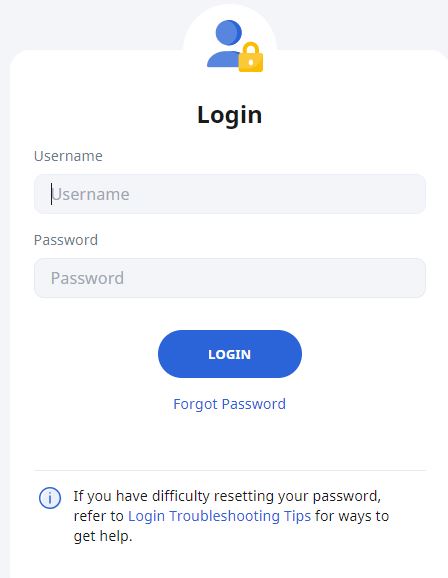
A) Login Details
Username: [First 5 letters of student's name] + [last 5 characters of student's BC number]
Password:
Refer to Student Handbook for username and password. Use "forgot password" function on SLS login page to reset password if needed. Remember to update Student Handbook if password was reset.
B) Accessing Your Homework
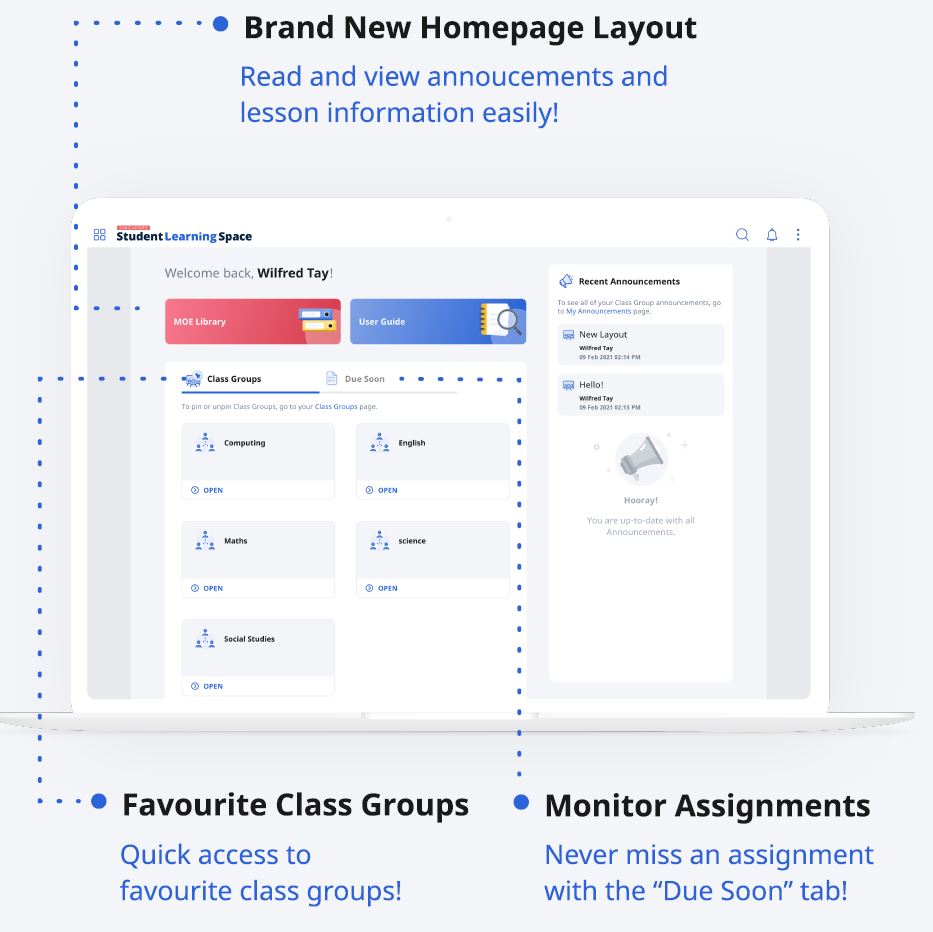
You can find the groups that you are in under the "User Group" tab. To find your homework, go to the "Due Soon/To Do" tab.
C) Completing Your Homework
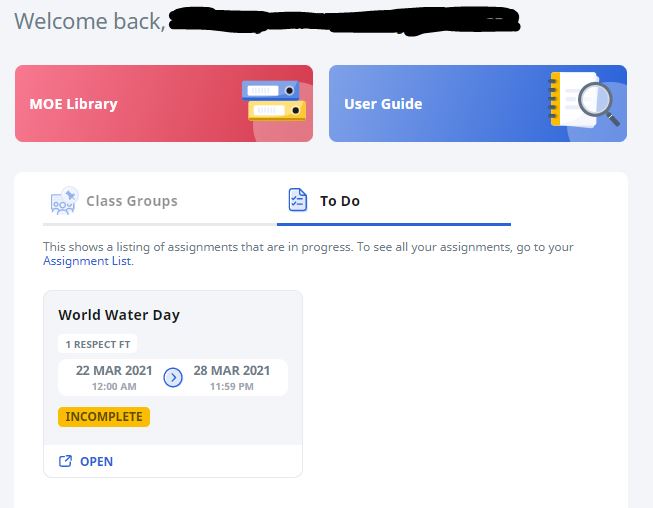
Click on “OPEN” to begin SLS homework
The “To Do” tab in this picture shows there is 1 activity that is incomplete. All activities have to be completed.
Helpline
School Based (Mon - Fri, 8am - 4pm)
Phone: 6459 0247
Online Form: https://go.gov.sg/amkpicthelp (opens in new tab) (preferred method)
SLS Helpdesk
Operating Hours
Mon - Fri
4pm - 9pm (School Days)
9am - 9pm (School Holidays)
Saturdays
9am - 3pm
*Closed on Sundays & Public Holidays
Email: helpdesk@sls.ufinity.com
Tel: 6702 6513